Working remotely certainly has its perks, but keeping an entire team organized when everyone is working from different locations can get complicated. Between managing projects, communicating with coworkers, meeting deadlines, and keeping track of shared documents, there’s a lot happening behind the scenes. Finding the best productivity apps for remote teams can make those everyday responsibilities much easier to manage, especially when you’re juggling multiple projects at once.
As someone who works remotely as part of a remote team, I’ve seen firsthand how much of a difference the right tools can make. When you’re relying on digital communication to coordinate tasks and keep projects moving, having everything organized and accessible is incredibly important. However, with so many platforms promising to improve efficiency, figuring out which ones are actually worth using can take some research.
This is why we’ve rounded up some of the best productivity apps for remote teams, covering everything from project management and communication to file sharing, scheduling, and collaboration. Whether you’re managing a small business, coordinating employees across different time zones, or simply looking for ways to improve your current workflow, these tools can help your team stay connected and productive.
Of course, the best productivity apps for remote teams will depend specifically on how your business operates, the size of your team, and the challenges you’re trying to solve.
What Are the Best Productivity Apps for Remote Teams in 2026?
The best productivity apps for remote teams help employees communicate, organize assignments, manage deadlines, and collaborate without needing to be in the same office. However, different platforms serve different purposes, and the right combination will depend on your team’s responsibilities. A marketing agency managing dozens of client projects, for example, will likely need different tools than a consulting firm that spends most of its day scheduling appointments and communicating with customers!
1. Acuity Scheduling for Appointment Booking and Calendar Management
Coordinating appointments can become a surprisingly time consuming responsibility when you’re managing clients, coworkers, and meetings from different locations. Acuity Scheduling helps businesses simplify that process by allowing customers to book appointments directly through an online scheduling page. Rather than exchanging several emails to find a convenient time, clients can view available appointments and choose what works for them.
Businesses can customize their availability, create different appointment types, and connect their calendars to help prevent scheduling conflicts. Acuity also offers automated email and text reminders, intake forms, and payment collection options, making it particularly useful for businesses that provide consultations or services.
For remote teams, one of the biggest advantages is having appointment information organized in one place. A consulting business, for instance, could use Acuity to coordinate discovery calls, collect client details before meetings, and reduce the administrative work involved in scheduling. Teams with multiple employees can also manage individual availability and appointment calendars.
2. 8am for Business Management and Client Workflows
Remote businesses that provide professional services often have more to manage than projects and meetings. There’s also client communication, billing, payment collection, and the administrative work that keeps everything running. 8am offers a collection of business management solutions designed to help professionals handle these responsibilities more efficiently.
Rather than functioning as one traditional productivity app, 8am brings together specialized platforms that address different business needs. Its products include:
- 8am MyCase, which helps law firms manage cases, client information, documents, and legal workflows.
- 8am LawPay, which provides payment processing designed for legal professionals.
- 8am CPACharge, which helps accounting professionals accept client payments.
- 8am CasePeer, which offers case management tools specifically for personal injury law firms.
For firms with employees working from different locations, having centralized access to relevant business information can make daily operations more manageable. Depending on the platform, employees can coordinate client matters, access documents, monitor progress, and handle administrative responsibilities without relying entirely on email exchanges.
Of course, the most appropriate solution depends on the type of business you’re running. A remote accounting firm may find CPACharge particularly relevant, while a law firm managing numerous active cases might benefit more from MyCase. Businesses should compare the individual products rather than assuming every feature is included in one subscription.
Related: Best Accounting Software for Freelancers and Self-Employed Workers in 2026
3. Atlassian for Project Management and Team Collaboration
When multiple employees contribute to the same project, keeping track of assignments, updates, and important information can become complicated. Atlassian addresses these challenges through a collection of collaboration and project management tools that support different types of work.
Three of its most recognizable products are Jira, Confluence, and Trello, although each serves a somewhat different purpose.
- Jira helps teams plan projects, assign work, track issues, and monitor progress. It’s particularly popular among software development and technical teams.
- Confluence provides a shared space for creating documentation, organizing company knowledge, and collaborating on project information.
- Trello uses visual boards and cards to organize tasks, making it an approachable option for teams that prefer a simpler project management experience.
A remote software development company, for example, might use Jira to manage technical assignments while maintaining project documentation in Confluence. Meanwhile, a small marketing team could use Trello to organize its editorial calendar, track campaign deliverables, and see which assignments are awaiting approval.
Atlassian’s broader ecosystem also supports integrations and automation, allowing businesses to connect different aspects of their workflows. However, teams should consider which products they’ll actually use before committing to several platforms.
4. Slack for Everyday Team Communication
When your coworkers aren’t sitting a few desks away, having a convenient way to ask questions, share updates, and discuss projects becomes incredibly important. Slack is one of the most recognizable communication platforms for remote teams, offering organized messaging channels, direct conversations, file sharing, and integrations with other workplace software.
I personally use Slack throughout the day to communicate with coworkers, discuss assignments, and coordinate ongoing projects. It’s especially helpful when a quick question doesn’t warrant an entire email thread or scheduled meeting.
One of Slack’s most useful features is its channel system. Teams can create separate spaces for departments, clients, projects, or specific discussions, keeping conversations organized instead of mixing everything into one group chat. Messages are searchable, too, although access to older conversations depends on the subscription plan.
Slack also supports audio and video huddles, automated workflows, and connections with tools like Google Drive and Asana. For businesses with employees working across different schedules, these features make it easier to communicate without requiring everyone to be available simultaneously.
Related: Best CRM Software for Small Businesses That Don’t Need a Full-Time Admin to Run It
5. Asana for Tracking Projects and Deadlines
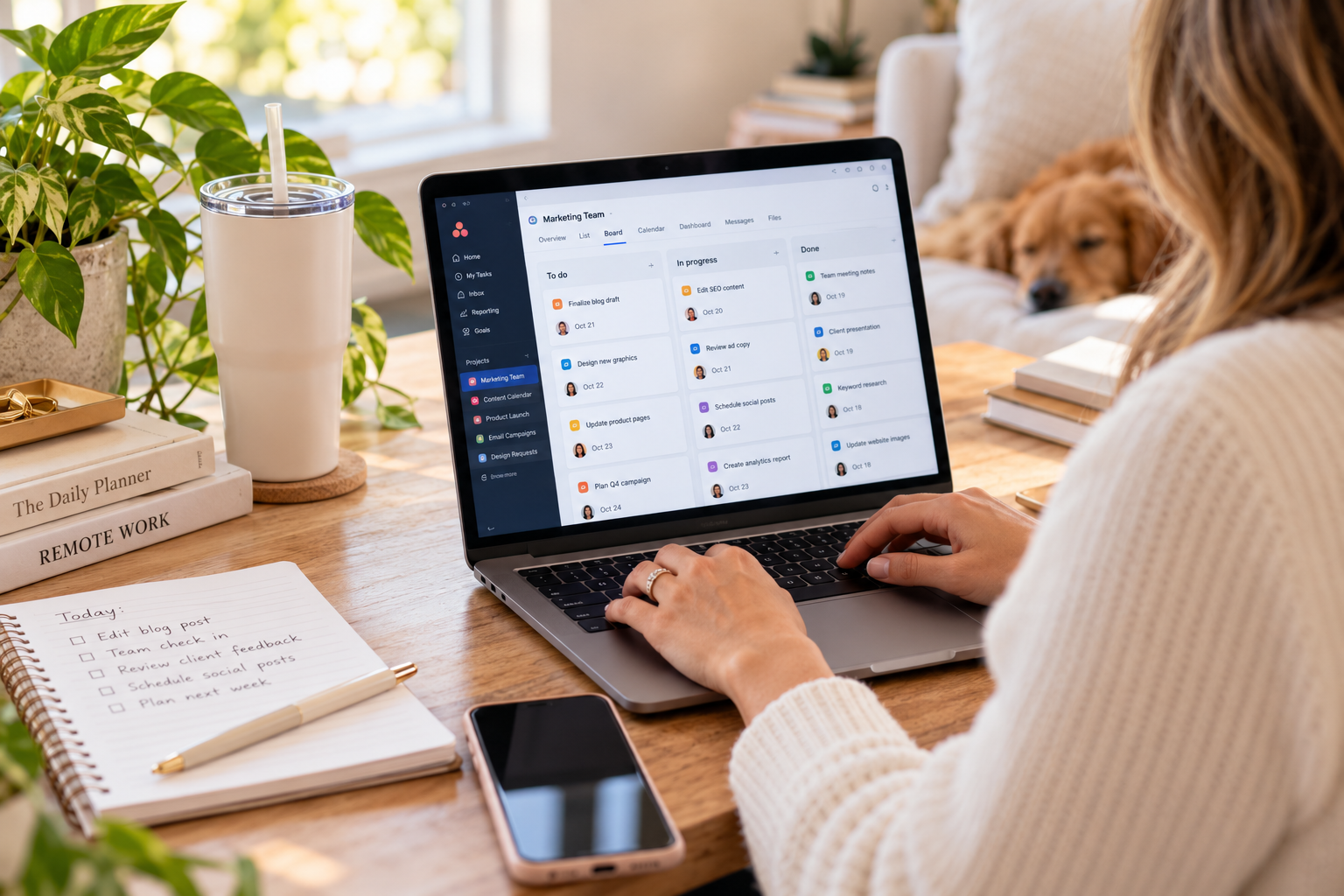
If your team regularly handles multiple assignments with different deadlines, Asana can help bring some much needed organization to the process. This project management platform allows businesses to create projects, assign tasks, establish deadlines, and monitor progress through different views, including lists, boards, and calendars.
I use Asana constantly in my own remote content editing role, particularly for managing editorial assignments and keeping track of projects at different stages. When you’re coordinating content across multiple websites and working with different contributors, it’s incredibly useful to have a centralized place to see what’s assigned, what’s approaching its deadline, and what still needs attention.
Asana also allows users to add comments, attach relevant files, create subtasks, and establish recurring assignments. For larger projects, timeline views and workflow automation features can help teams visualize dependencies and reduce some of the repetitive administrative work involved in project coordination. Certain features are limited to paid plans.
For example, a remote marketing agency could create separate projects for each client, assign individual deliverables to writers and designers, and track content through drafting, editing, and publication. Everyone involved can see their responsibilities without needing constant updates from a manager.
6. Google Workspace for Collaborative Documents and File Sharing
Sometimes, the biggest productivity challenges come from something as simple as trying to locate the correct document. When employees are constantly emailing attachments, saving different versions of files, or requesting access to shared resources, even straightforward assignments can become unnecessarily complicated, and that’s why the best productivity apps for remote teams fix those issues.
Google Workspace helps address these issues through familiar tools like Google Docs, Sheets, Drive, Gmail, Meet, and Calendar. These applications work together, allowing employees to create documents, organize files, schedule meetings, and collaborate from different locations.
One of its most valuable features is the ability for multiple people to work on the same document simultaneously. Rather than sending revised files back and forth, coworkers can leave comments, suggest edits, and make changes directly within a shared document. Google Drive also provides centralized cloud storage, with access permissions that businesses can manage according to their needs.
For a remote content team like I’m part of, Google Docs can be useful for drafting articles and collecting editorial feedback, while Sheets can organize research or track campaign information. Calendar makes coordinating meetings easier, and Google Meet provides video conferencing without requiring an entirely separate platform.
Related: Best Business Card Designs That Stand Out
Get More Done With the Best Productivity Apps for Remote Teams
Remote work comes with plenty of flexibility, but staying productive across different locations requires more than a reliable internet connection, so the best productivity apps for remote teams are super important. Teams need clear communication, organized workflows, and accessible information to keep everyone moving in the same direction, so whether you’re trying to reduce unnecessary meetings, manage overlapping deadlines, or make collaboration easier, choosing the best productivity apps for remote teams that address your team’s actual needs can make a noticeable difference!
As you compare the best productivity apps for remote teams, consider how well each platform fits into your existing processes, whether it integrates with the software you’re already using, and how easily your employees can adopt it. Ultimately, the goal is to create a remote working environment where everyone knows what needs to get done, has access to the information they need, and can collaborate without constant interruptions.
Read Next: Corporate Gift Boxes for the Holidays: Picks That Show Clients That You Care
We hope you love the products we recommend! Just so you know, Talk District may collect a share of sales or other compensation from the links on this page.